Redesigning Payroll
A simpler end-to-end payroll experience for TriNet client admins.
The situation
TriNet's payroll experience had grown screen by screen over time, leaving admins without a clear starting point or a reliable end-to-end flow. Important alerts were easy to miss, the workflow was fragmented, and the stakes were high because payroll errors directly affect pay.
My approach
I led a team of two designers that mapped the payroll journey from the admin's point of view and focused on the decisions they needed to make at each step. This was validated by user research and support data. The redesign centered on creating one clear flow that showed what needed attention, where they were in the process, and what came next.
The dashboard
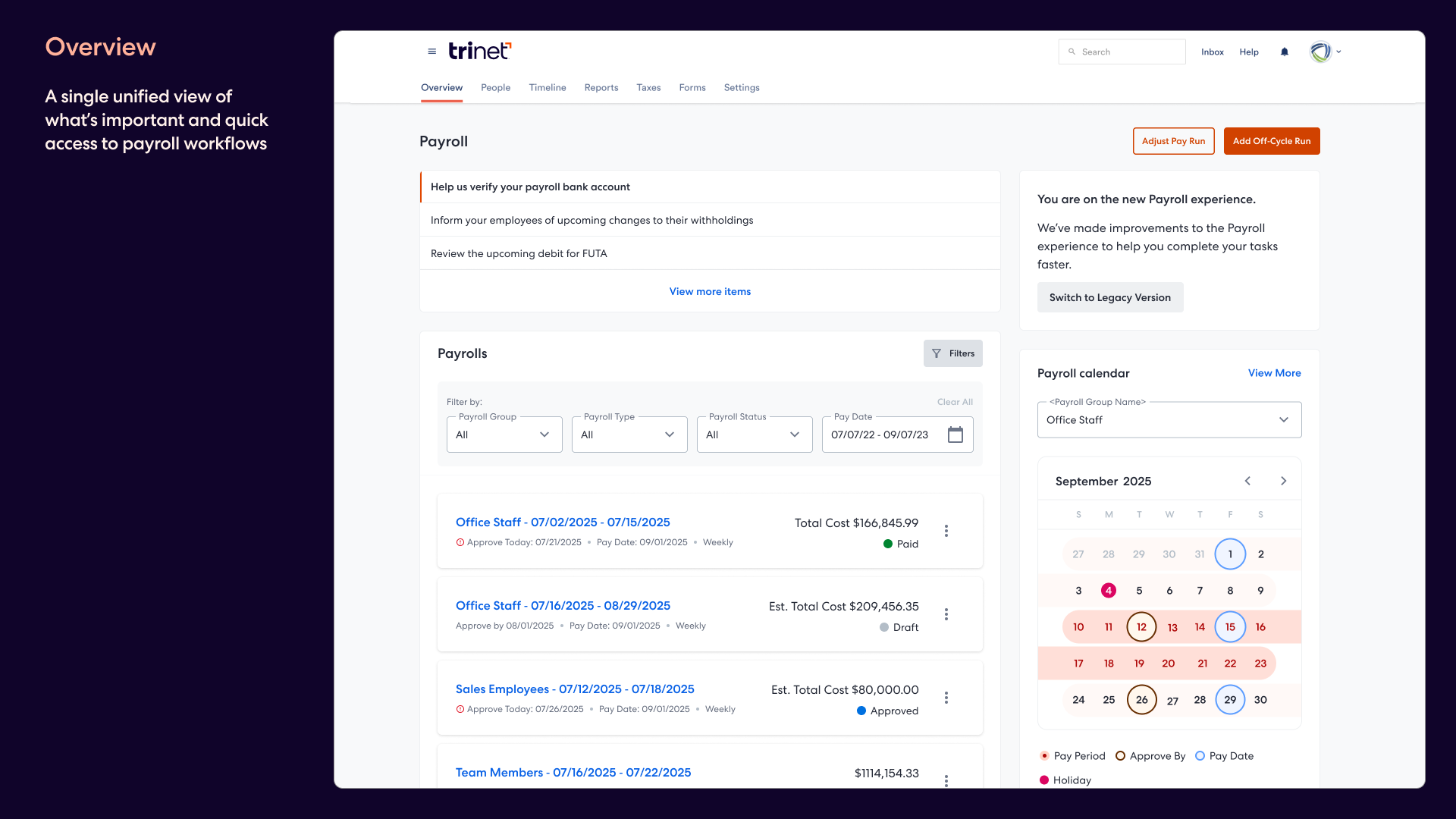
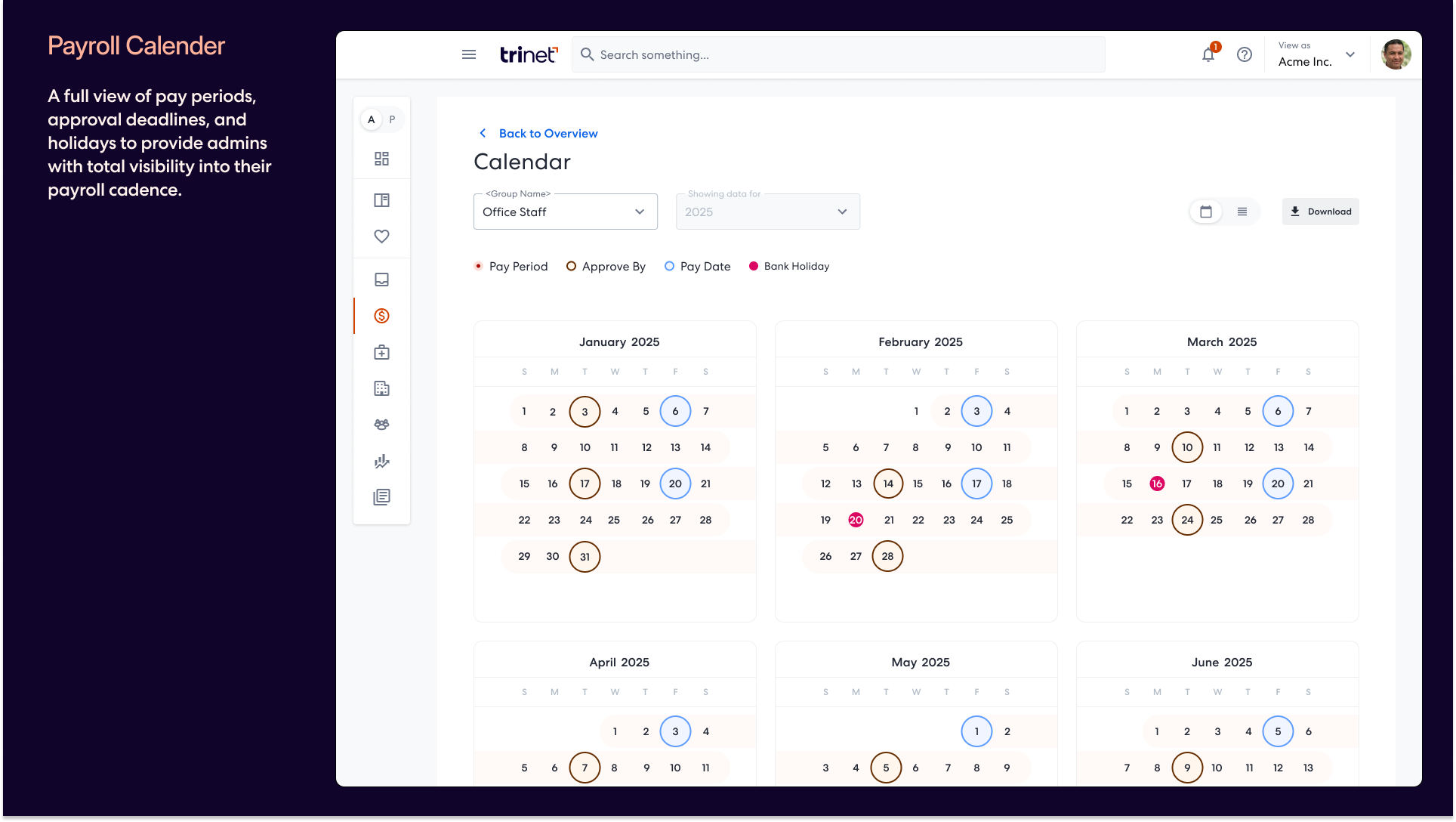
The new dashboard gave admins a real command center: actionable alerts at the top, payroll runs with clear status and financial details, and a calendar showing deadlines, pay dates, and holidays in one place.
The entry experience
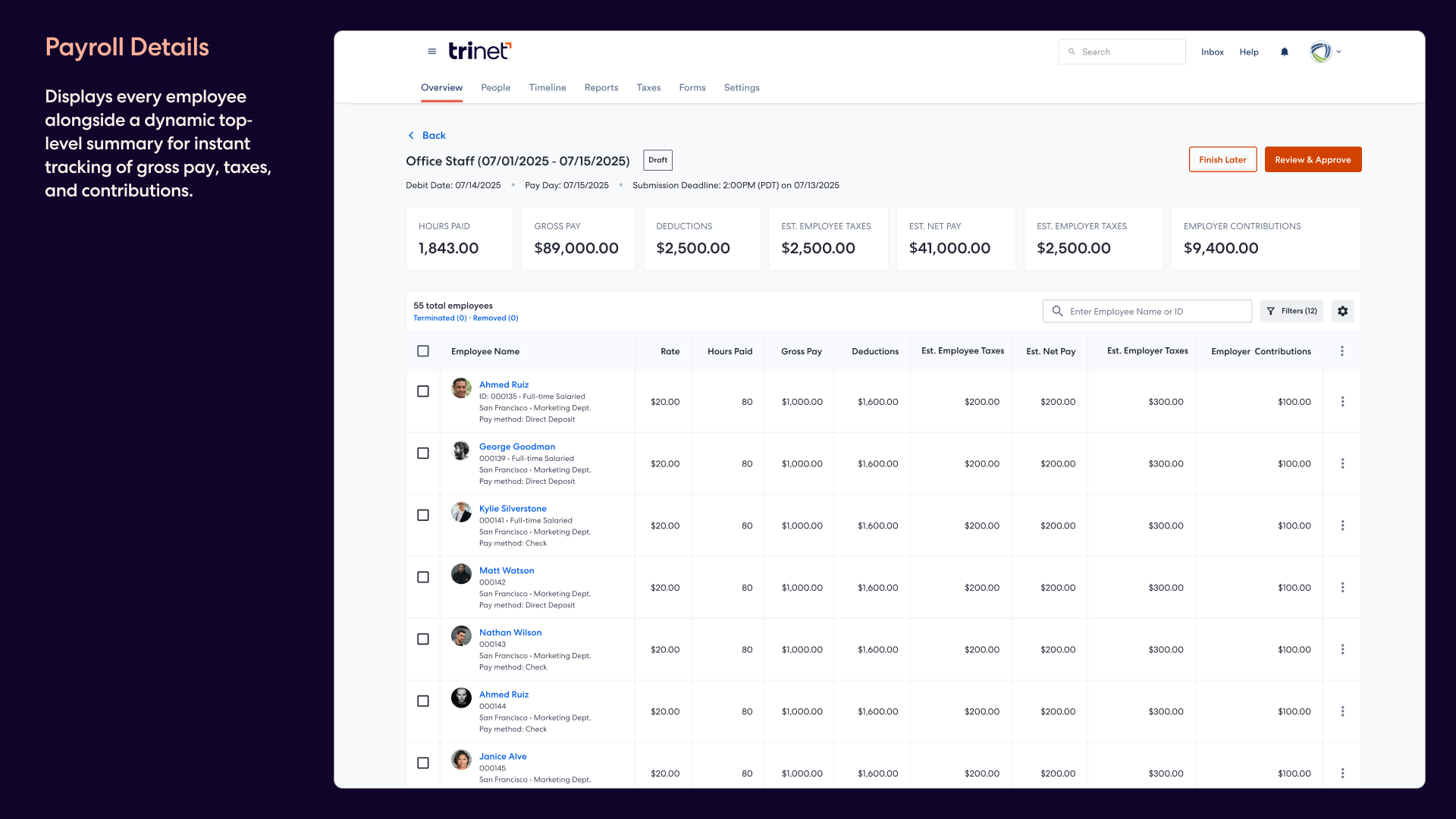
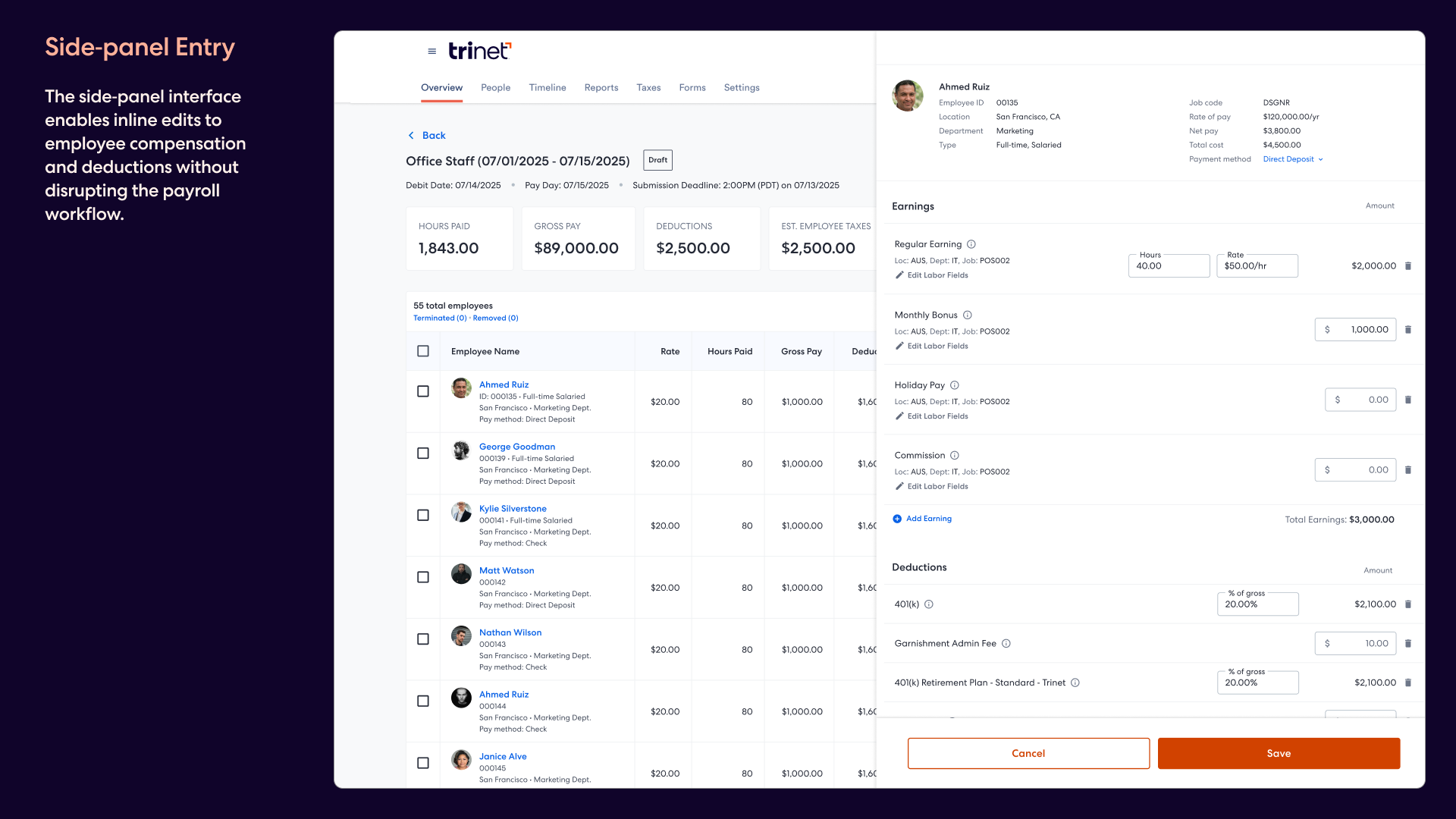
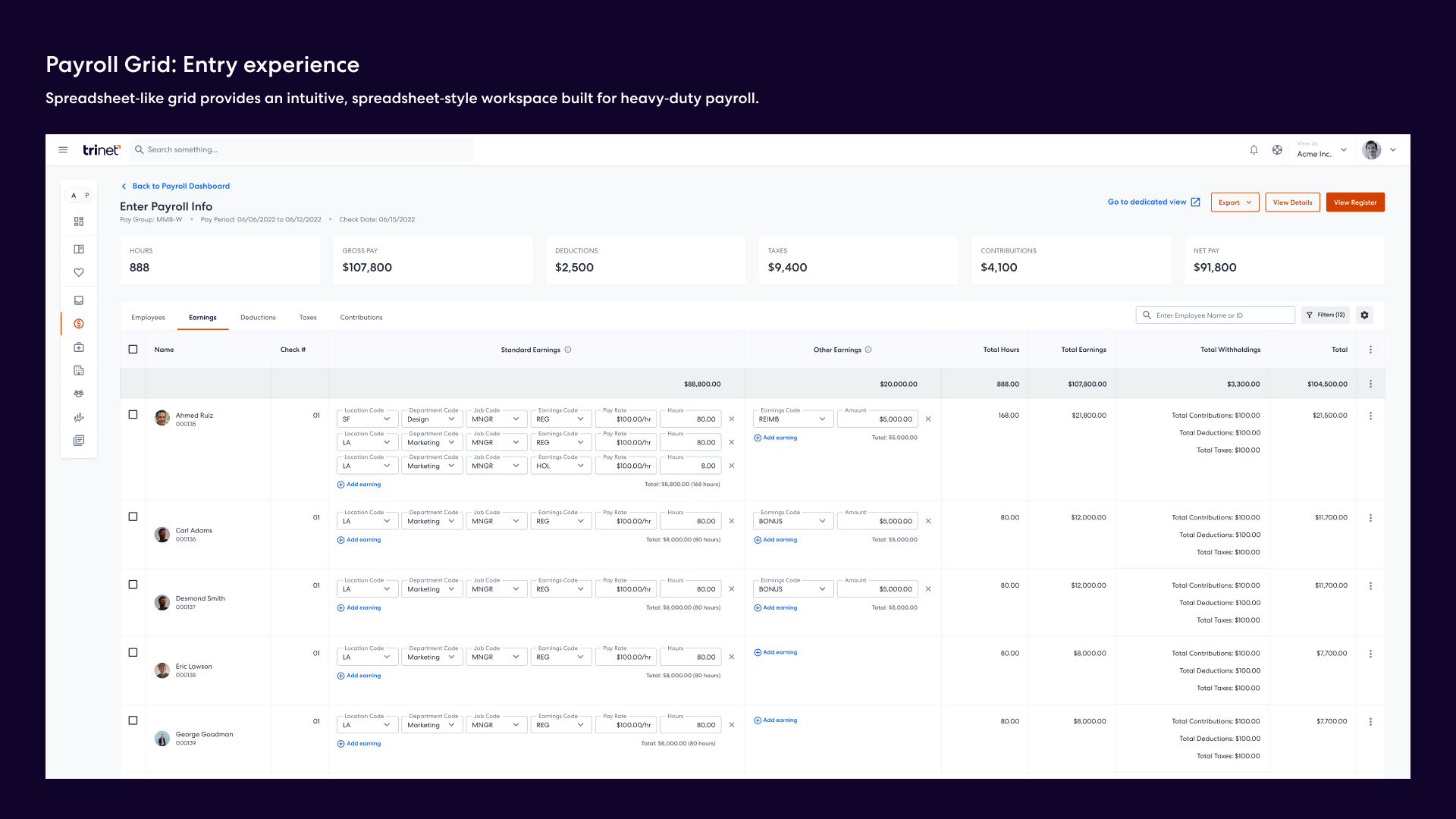
We replaced page-to-page editing with a persistent payroll table and side-panel editing, so admins could make changes without losing context. Live summary metrics across the top helped them track totals and review confidence as they worked.
Review and confirmation
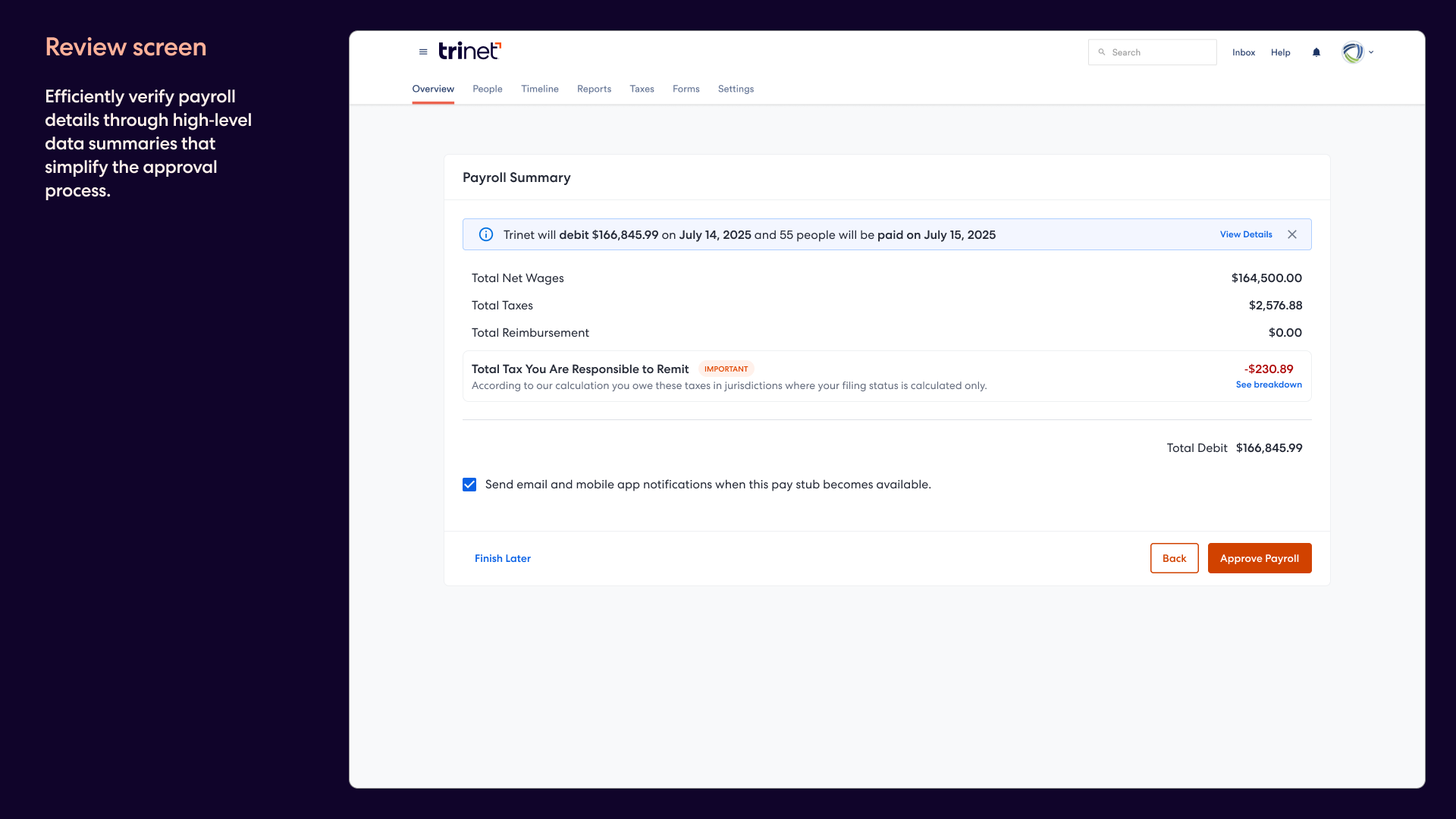
The final steps were simplified into a clean review page and a clear confirmation state. Admins could verify the right numbers, understand debit and pay dates, and leave the flow knowing payroll had been submitted successfully.
Looking ahead
Phase 1 shipped in the spring of 2025, and it also set up a faster Phase 2 vision: a spreadsheet-like grid for power users who need to edit payroll inline at scale.
What came out of it
The redesign shipped as part of the 2025 spring release and gave admins a clearer, more reliable payroll workflow. It also established reusable patterns and a forward path for one of the most complex areas of the platform. This new construct was adopted for the contractor payments workflow as well.